
How to Update the Contact & Billing Information 🏢
Log in to ZAPP Admin.
Hover over the Profile tab of the menu.
Click the Organization Details tab to access the account details.
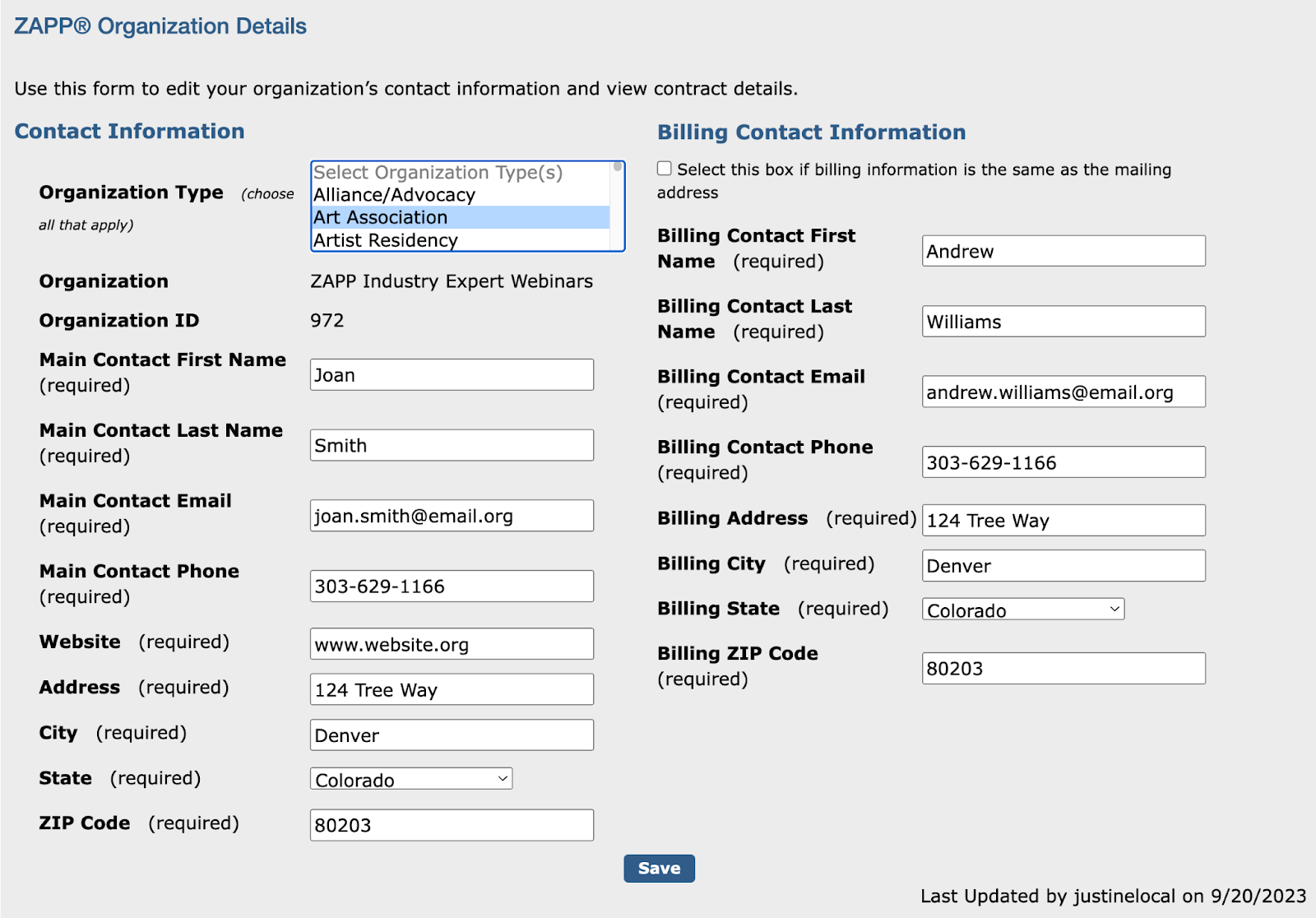
Locate the Contact Information and Billing Contact Information sections.
Update the Main Contact as needed. The main contact is the person with whom the ZAPP team should discuss your account settings, event details, etc.
Update the Billing Contact Information as needed. The billing contact is the person with whom the ZAPP team should discuss payment information, remittances, and balances due.. The billing address is the address used to send your monthly remittances if you receive those by check. The billing email is used to send remittance details.
Click Save 💾 to finalize your changes.
⚡ TIP: Keep your billing information up-to-date to ensure the revenue collected through ZAPP is properly remitted to you.
How to View Contract and Event History 📖
Log in to ZAPP Admin.
Hover over the Profile tab of the menu.
Click the Organization Details tab to access the account details.
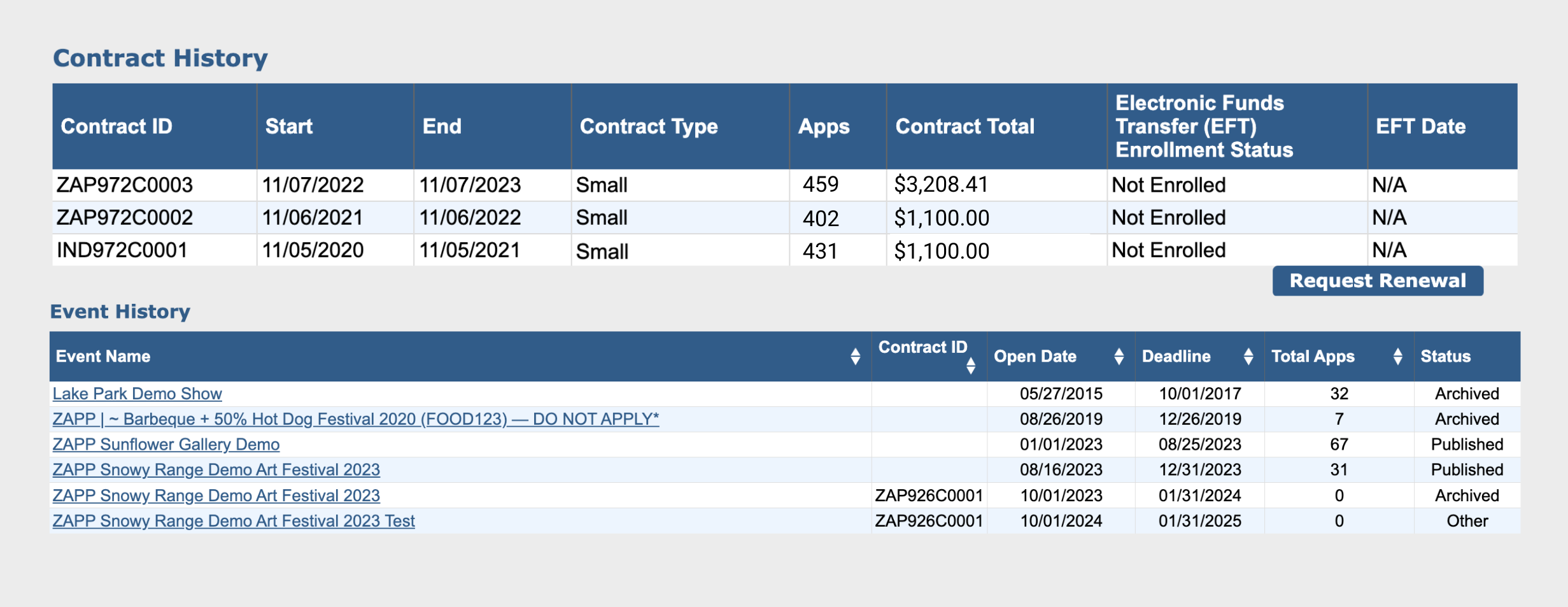
Scroll down to the Contract History section to view the list of contracts for your licensee, the dates effective, and the Electronic Funds Transfer (EFT) Enrollment Status.
Click Request Renewal to notify the ZAPP team that you would like to renew your account.
Scroll down to the Event History section to view the list of events for your organization.