

Where to Find the Jury Application Table
Hover over Jury in the main navigation tab and select Administration
Select your Event
Click the Applications tab on the Jury Administration page.
What You'll See 👀
The Jury Application Table displays the following information for artists in the Received status:
The artist name, collaborator name (if applicable), and application ID
The artist's medium category
The artist's average score
Individual juror scores and comments
A link to view a side preview of the artist’s application
Filter the table by medium category or various keywords, or search by typing in keywords related to the applicant or their work.
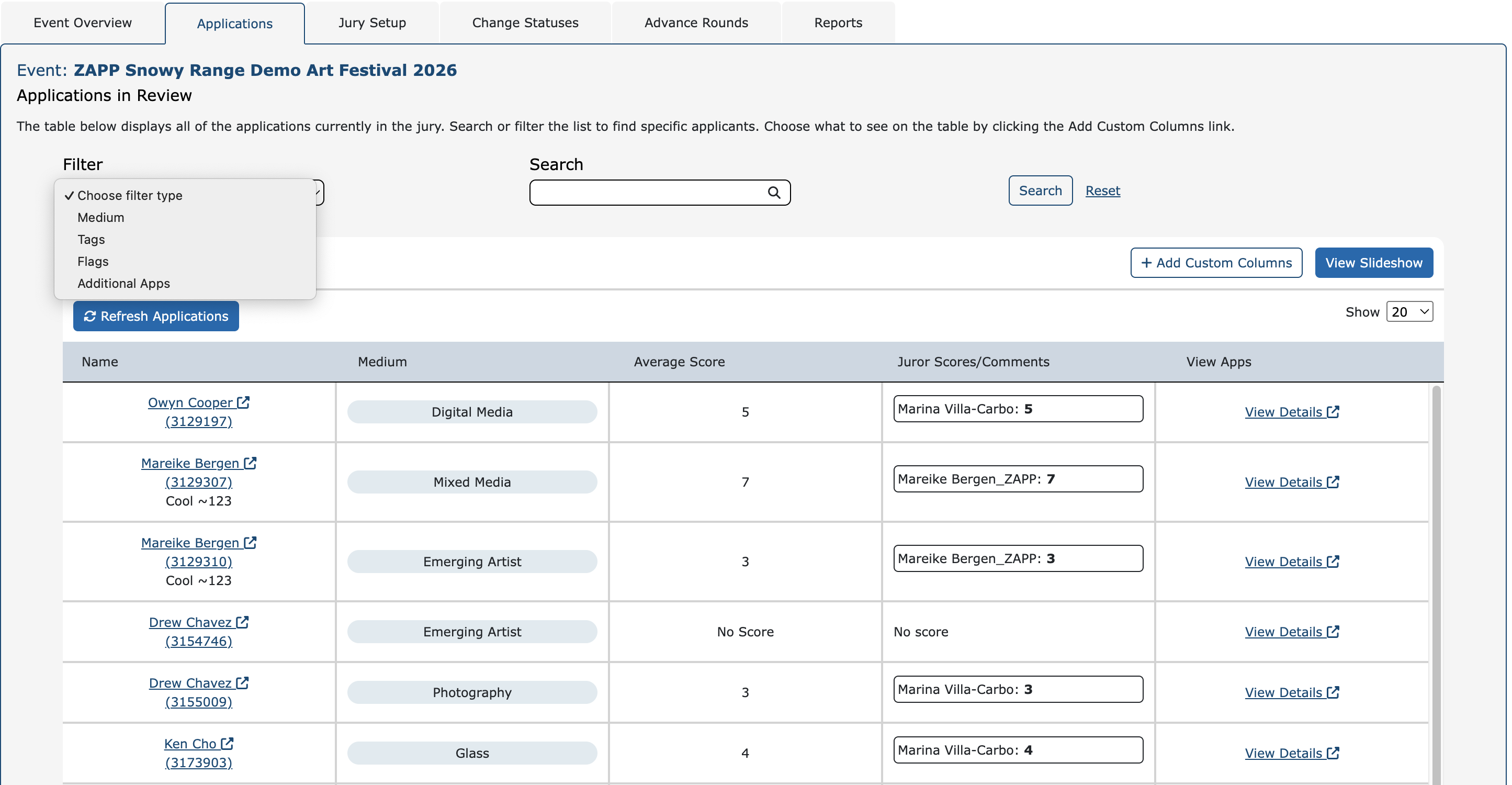
Click +Add Custom Columns to add up to three additional custom columns at a time to view more information. :
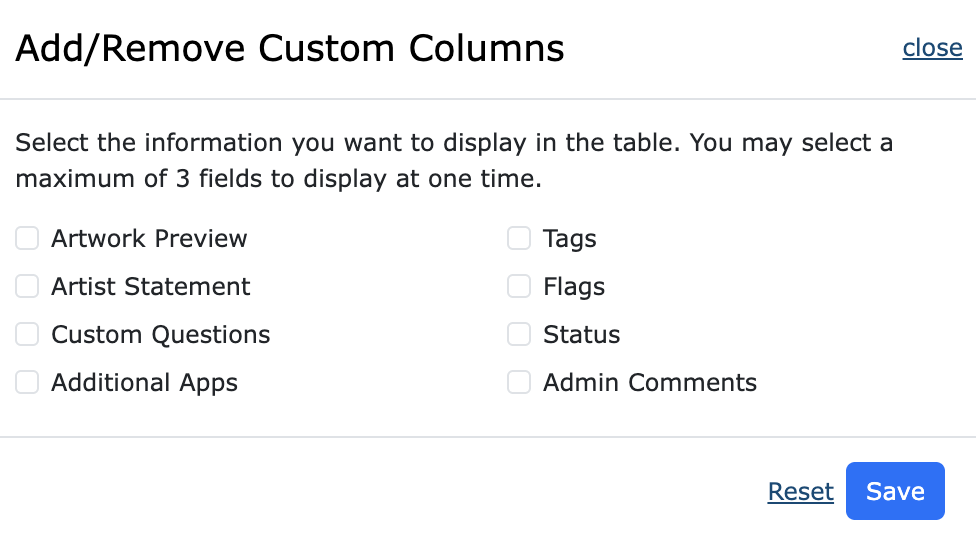
Choose from the following options:
Artwork Preview: a thumbnail image of the submitted artwork
Artist Statement
Custom Questions
Additional Apps: a link to additional applications this artist has submitted
Tags
Flags
Status
Admin Comments
Review Applications, Jury Results, and Change Statuses 🔃
Review artist images using the View Slideshow button above the Jury Application Table.
To monitor jury activity in real time, click Refresh Applications.
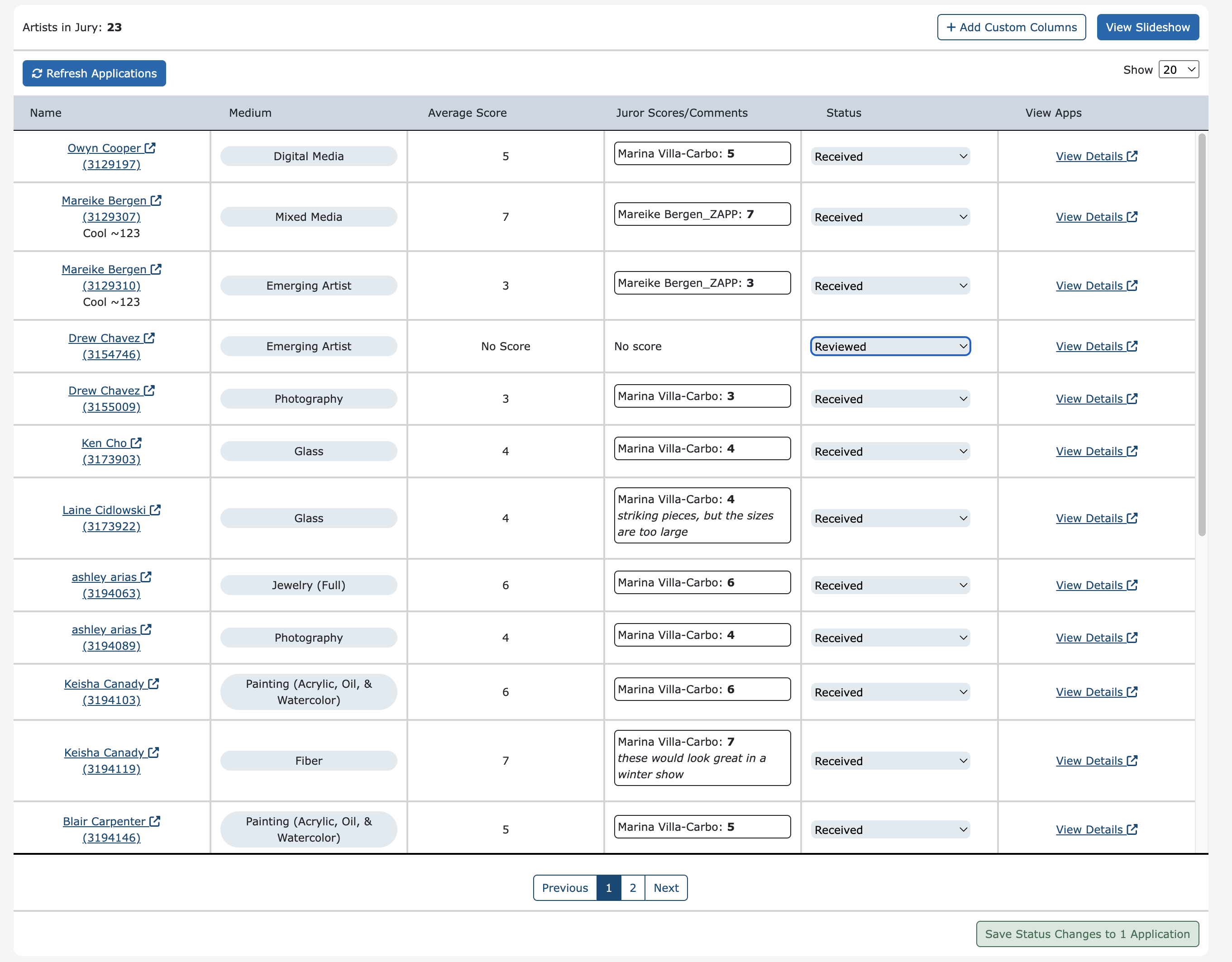
You can change artist statuses directly in the table:
Click +Add Custom Columns
Select Status
Click Save
Adjust artist statuses using the dropdown
Click Save Status Changes to Applications at the bottom of the table to apply the change
You can also review application details and make changes to applications in the application sidebar:
Click View Details for an artist
Adjust the Flags, Medium Category, Status, Tags, or Admin Comments
Click Save to apply the change
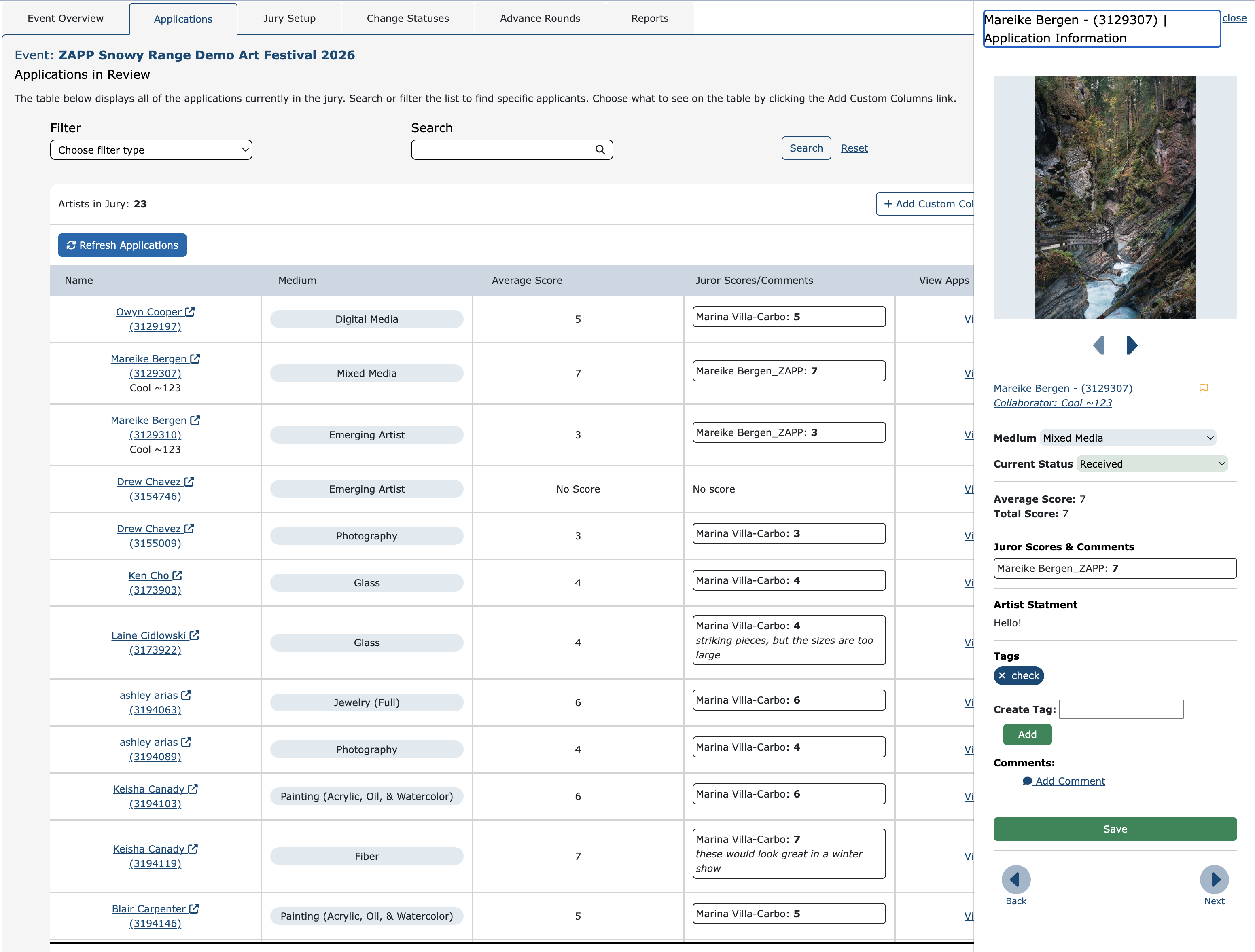
In the applicant sidebar pop up, use the arrows to view the previous/next application.
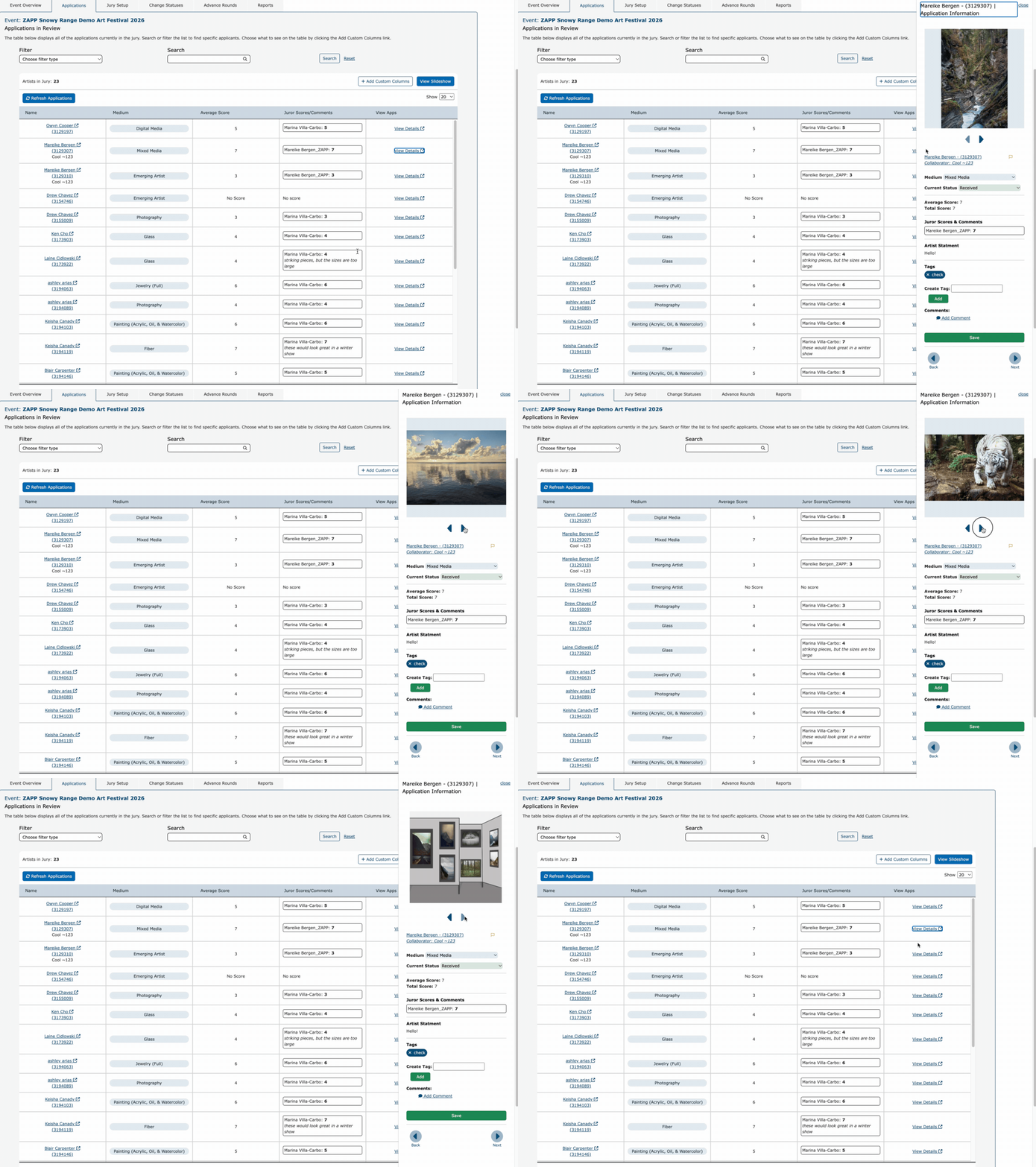
Note: only applications currently displayed in the table are visible in the sidebar.